Custom measurements and product dropdowns

Let shoppers design their own fit

Collars, pockets, sleeves and cuts with real photos, plus custom measurements, right on your product page. Every choice lands on the order.

Shopify app for made-to-order fashion · 14-day free trial on every plan

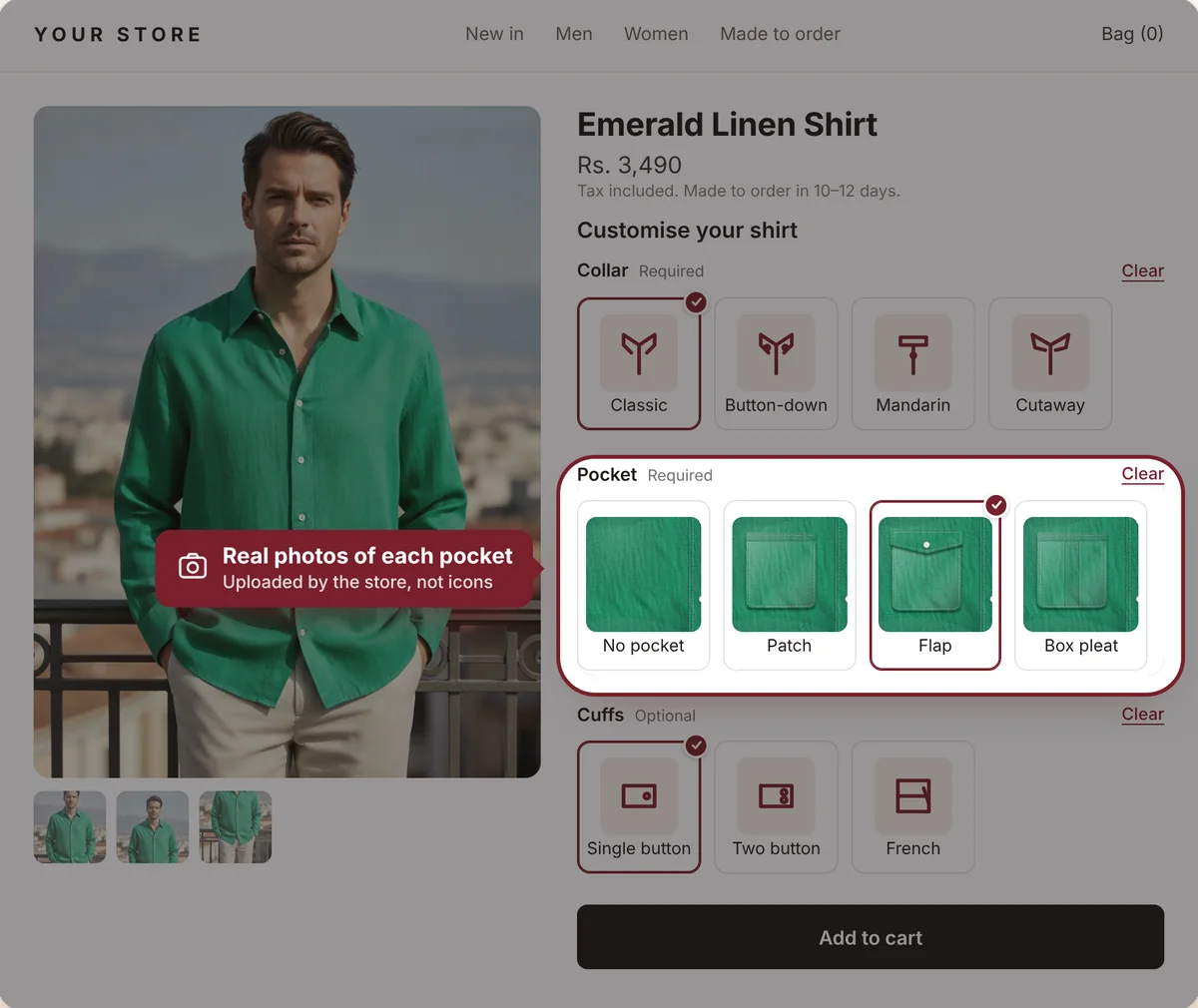
Shirt product page where shoppers choose collar, pocket and cuffs
22ready-made style groups
100+garment icons
in / cmmeasurements built in
0lines of code
What shoppers see

Made-to-order, without the back-and-forth

Shoppers choose styles and enter measurements before they buy, so you get the full order the first time.

Orders · Ready for your workshop

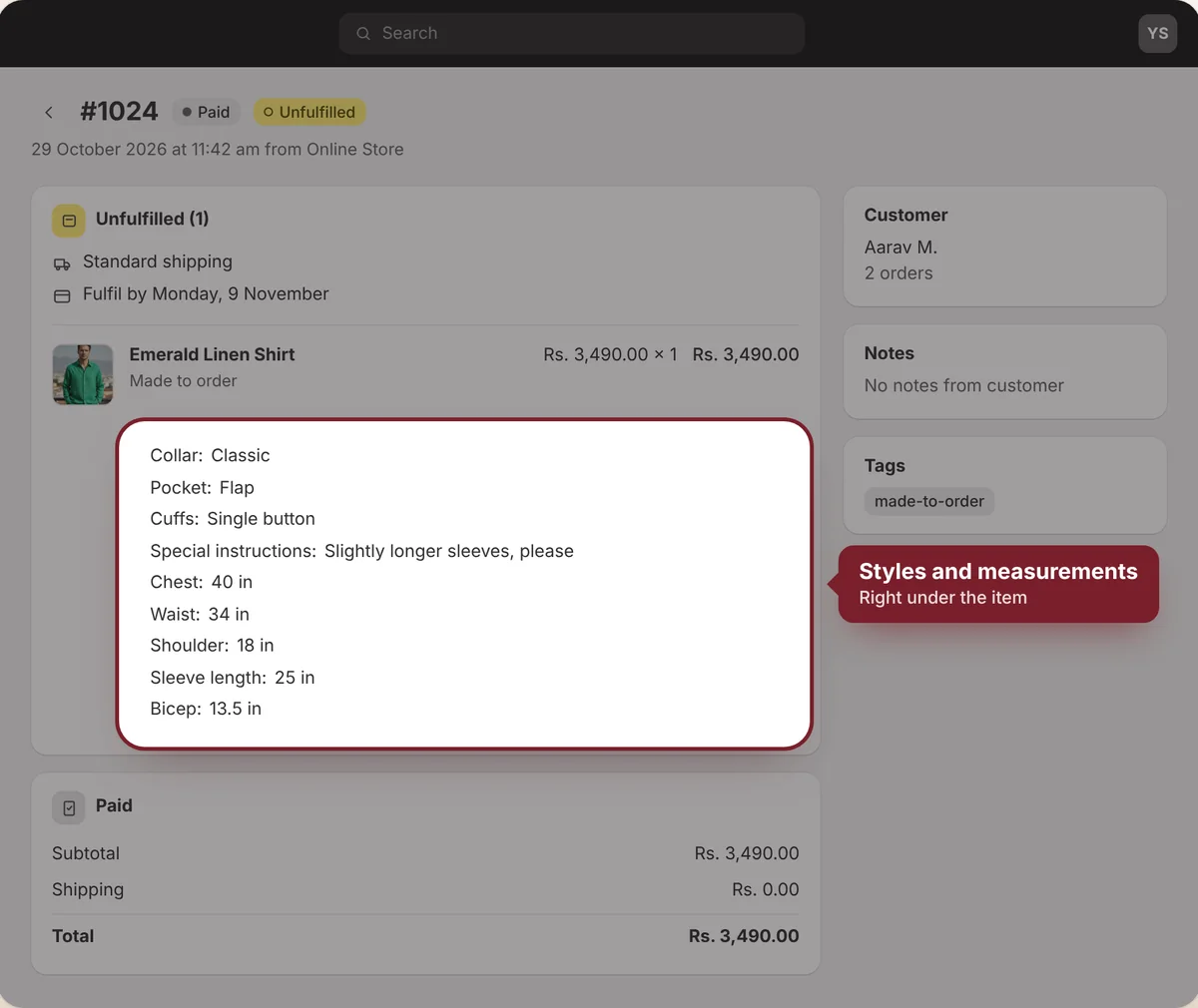
Every choice lands on the order

Styles, custom fields and measurements appear right under the item in your Shopify orders. No spreadsheets, no follow-up messages.

  • Shown on every order line
  • Measurements with their units
  • Easy to read for your tailor
Shopify order showing the chosen styles and measurements under the item
Dresses · Sleeve styles

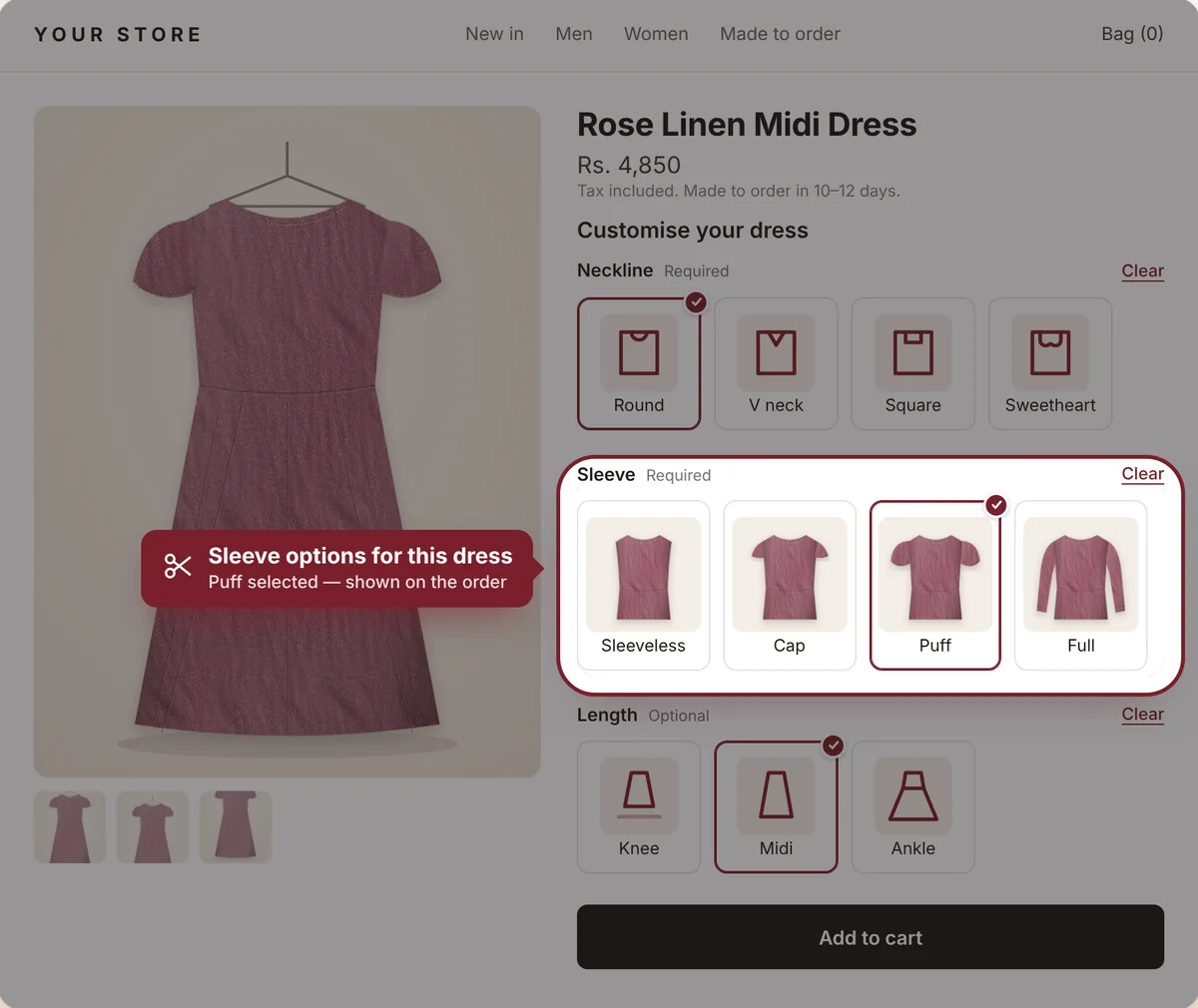
Let her choose the sleeve

Sleeveless for summer, puff for parties, full for evenings. One dress, every sleeve your workshop makes.

  • Pick which sleeves each dress offers
  • Make any choice required or optional
  • Shoppers can clear and change anytime
Dress product page with sleeve options highlighted
Trousers · Cut & fit

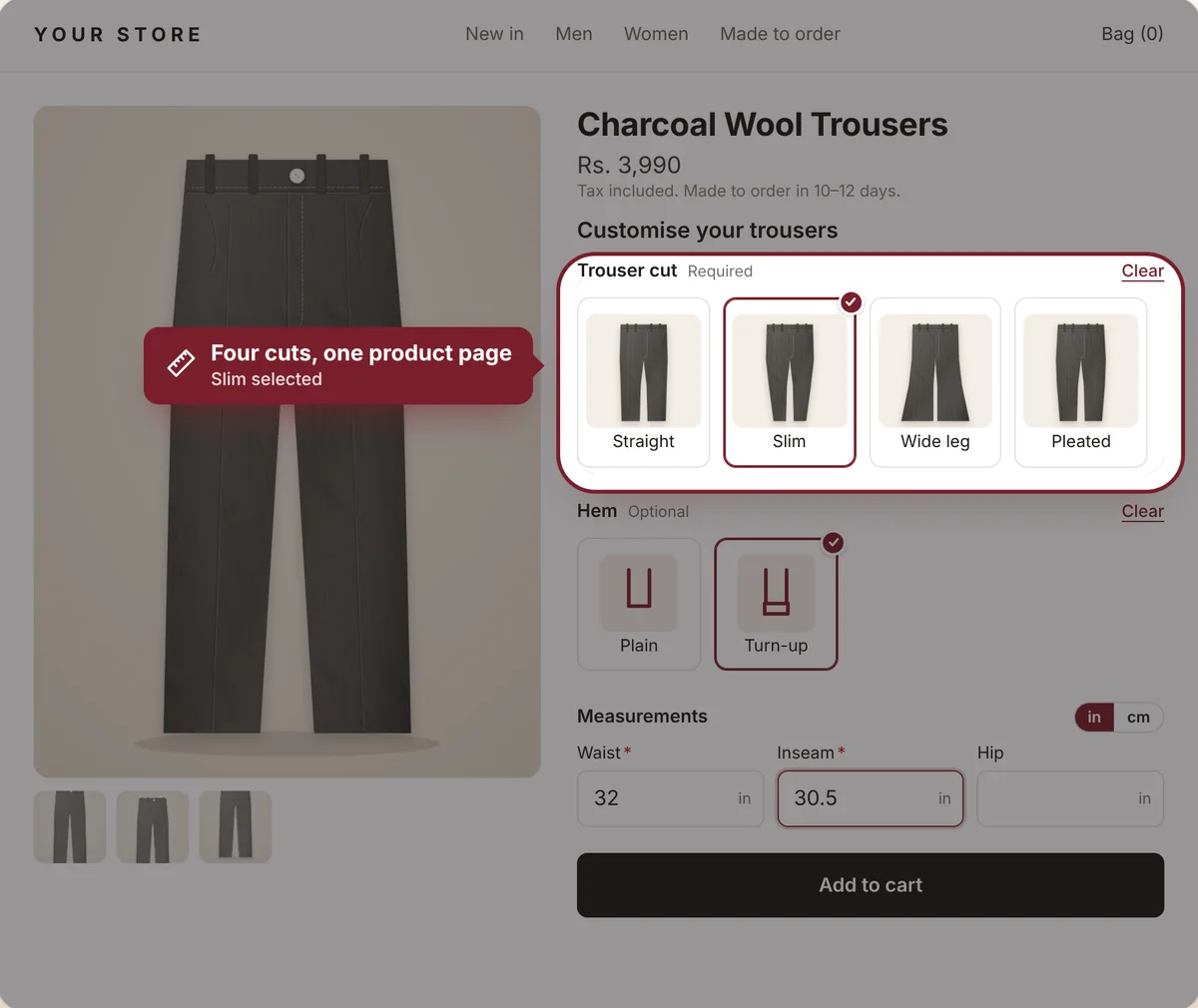
Every cut, made to order

Straight, slim, wide-leg or pleated. Shoppers pick the cut, then add their waist and inseam in inches or cm.

  • Styles and measurements together
  • Checked before Add to cart
  • Shown on the order for your tailor
Trouser product page with cut options and measurements
Icons & photos

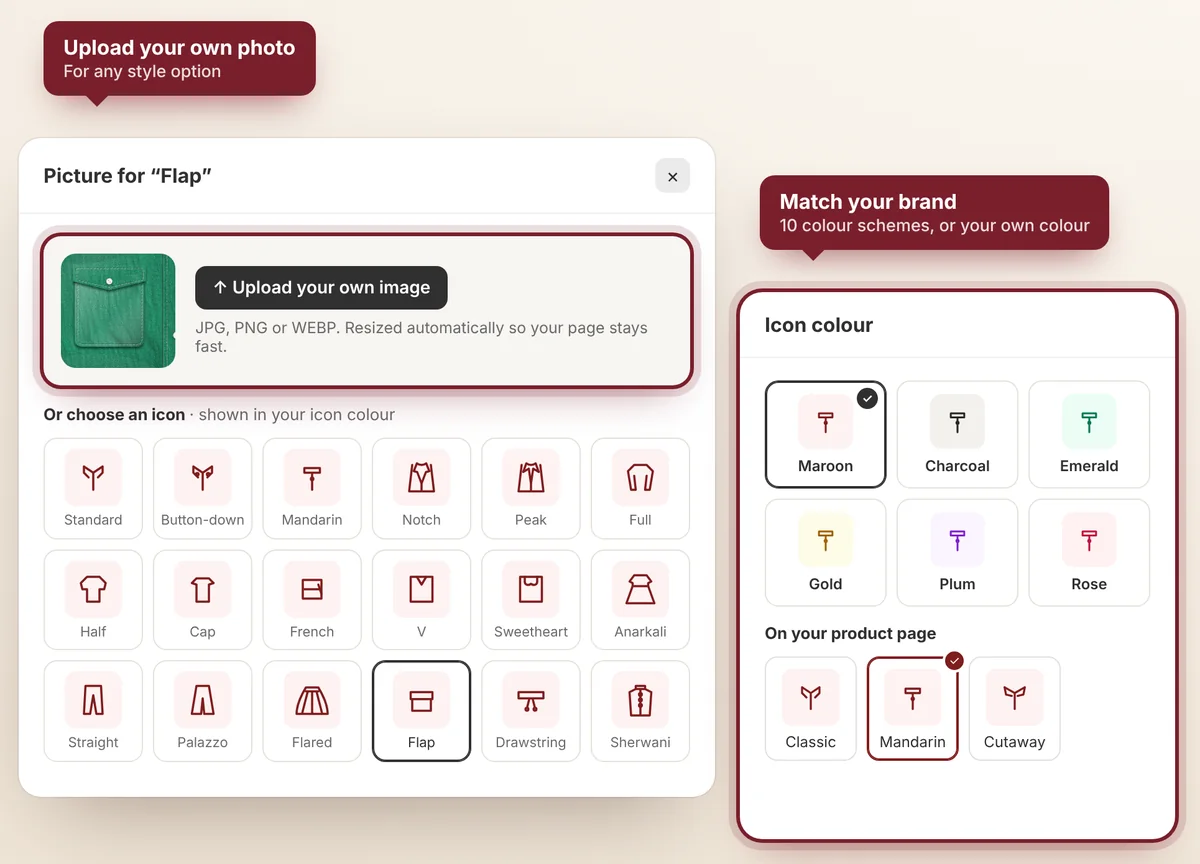
Use our styles, or upload your own

Start from 100+ ready-made garment icons, or upload a photo for any option. Then colour the icons to match your brand.

  • 100+ preset garment icons
  • Upload your own photo for any option
  • Icon colours to match your store
Icon picker with photo upload and icon colour schemes
Measurements

Add any measurement you need

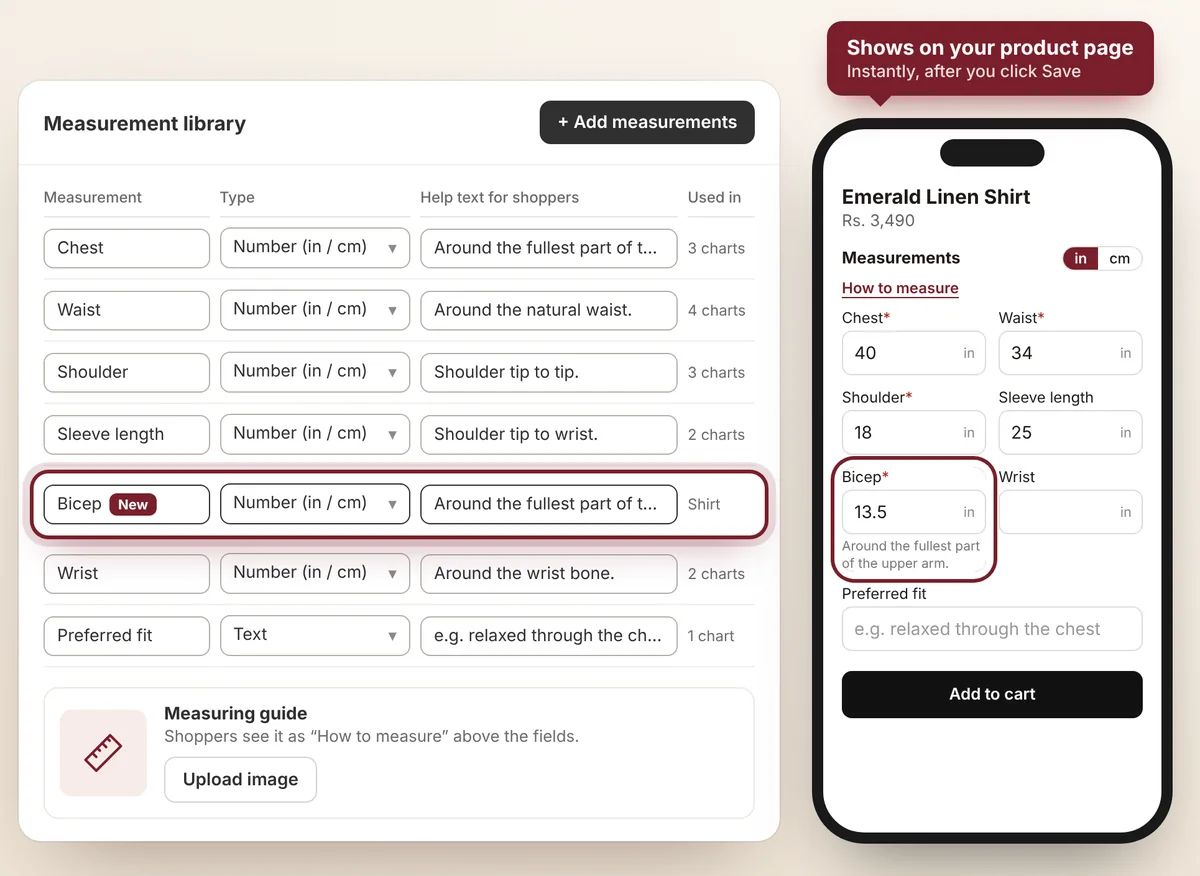
Create your own fields with help text for shoppers, choose inches or cm, and add a how-to-measure guide. Reuse them across every chart.

  • Your own fields and help text
  • Number or text, required or optional
  • Upload a how-to-measure guide
Measurement library with a custom Bicep field and phone preview
Easy setup

Live on your store in three steps

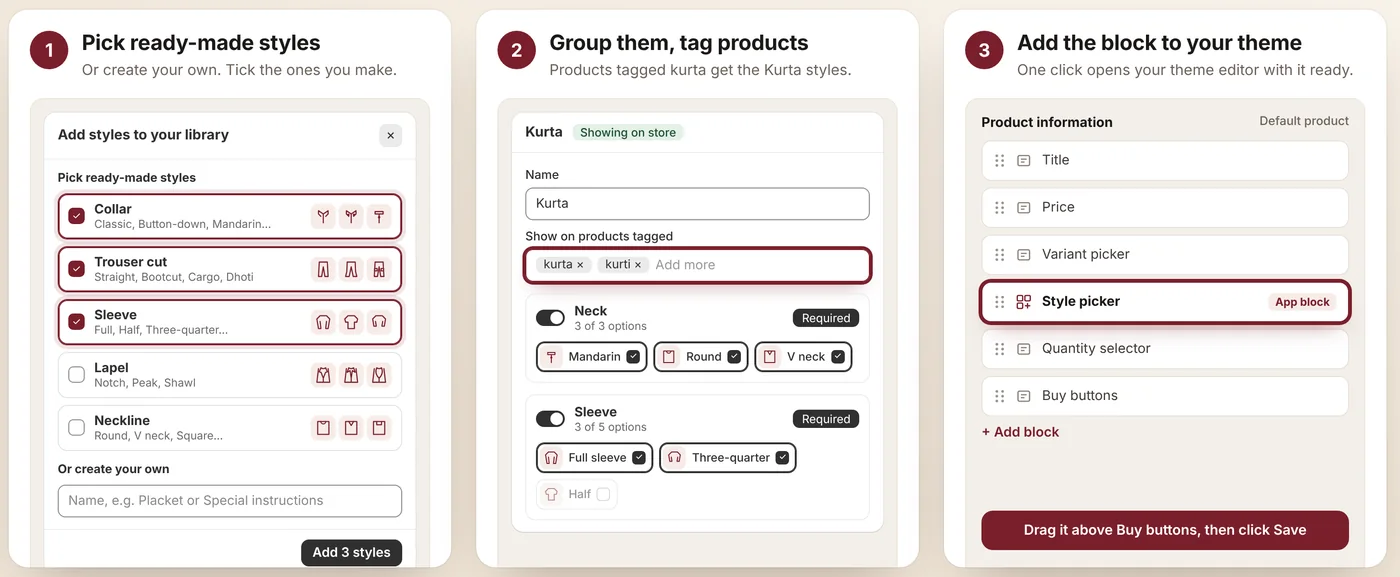
No code. Start from ready-made styles, choose the products, add the block.

  1. 1
    Pick ready-made stylesOr create your own. Tick the ones you make.
  2. 2
    Group them, tag productsProducts tagged kurta get the Kurta styles.
  3. 3
    Add the block to your themeOne click opens your theme editor with it ready.
The three setup steps in the app
Why boutiques choose it

Built for made-to-order fashion

Real photos or ready-made icons

Upload a picture for any option, or pick from 100+ garment icons.

One library, every product

Edit a style once and every style group that uses it updates.

Measurements built in

Inches or cm, help text and a how-to-measure guide, checked before Add to cart.

Custom fields

Short text, long text, a number or a dropdown for anything else you need.

Every choice on the order

Styles, fields and measurements show on each order line for your workshop.

Your look, any theme

Icons in your brand colour, Sleek or Broad size, on any Online Store 2.0 theme.
Pricing

Simple monthly plans

Every plan includes a 14-day free trial, custom icon colours, Sleek or Broad layout, and your own images.

Starter

$5.99/month
  • 1 style group on your store
  • 3 styles per group
  • 1 measurement chart
  • Custom icon colours
  • Upload your own images
Start free trial
Most popular

Growth

$19.99/month
  • 5 style groups on your store
  • 5 styles per group
  • 3 measurement charts
  • Everything in Starter
Start free trial

Pro

$49/month
  • Unlimited style groups
  • Unlimited styles per group
  • Unlimited measurement charts
  • Everything in Growth
Start free trial

Prices in USD, billed through Shopify.

Questions

Good to know

Does it work with my theme?

Yes, with any Online Store 2.0 theme. You add the Style picker as a block on your product page in the theme editor. No code needed.

Where do the customer's choices go?

Onto the order. Every style, custom field and measurement shows on the order line, so your workshop sees exactly what to make.

Can I use my own photos?

Yes. Upload a photo for any option, or use the ready-made garment icons in your brand colour. You can mix both.

Can styles and measurements go on different products?

Yes. Style groups and measurement charts each have their own product tags, so a product can get styles, measurements, or both.

Is there a free trial?

Every plan has a 14-day free trial. You can change or cancel your plan from your Shopify admin.

Start taking made-to-order sales today

Set up in minutes with ready-made styles for menswear, ethnic and western wear.

Install on Shopify